How to Log In as an Exhibitor from the Event Admin Portal
1. Open the exhibitor user list 0:00
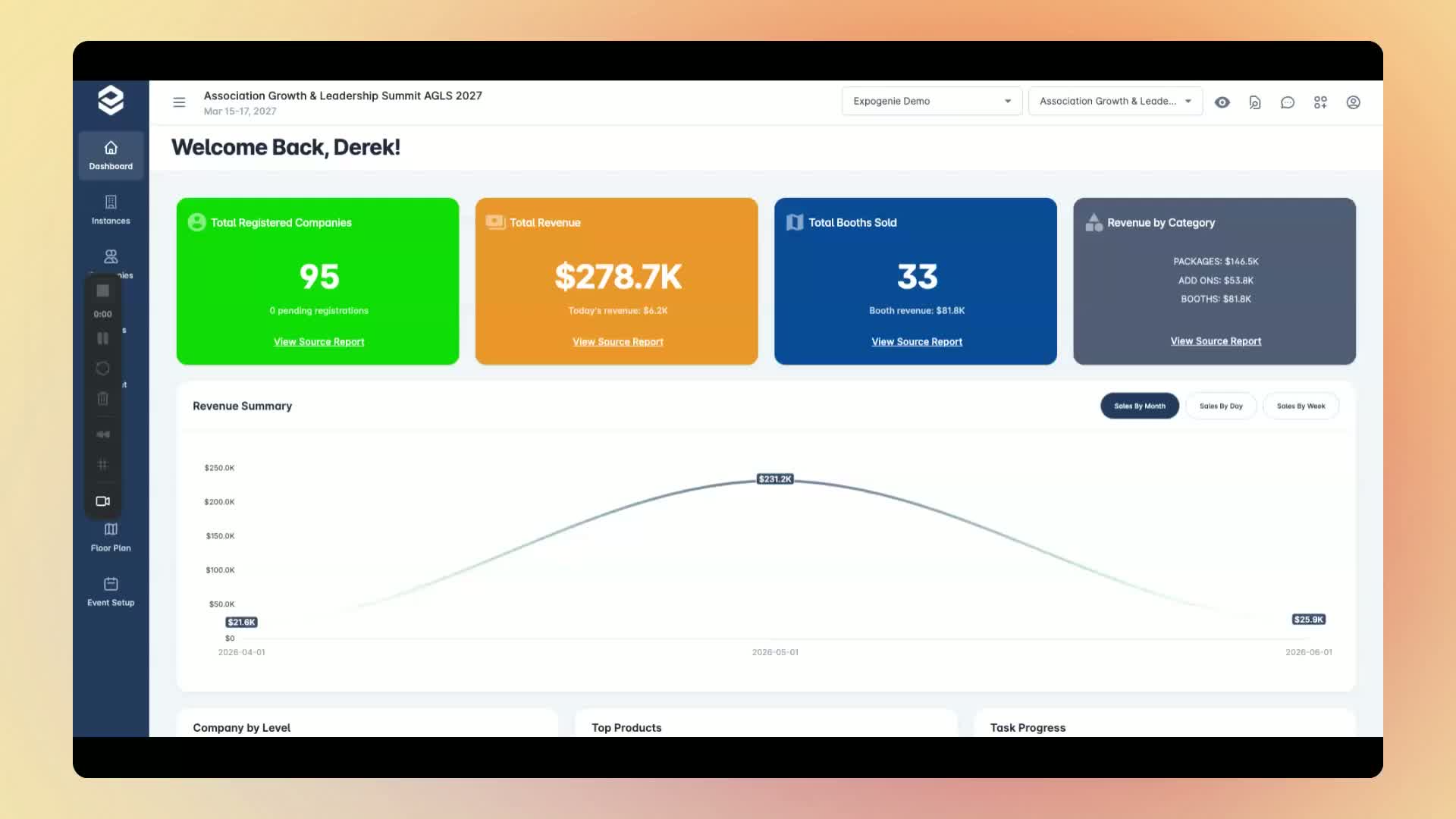
In the Event Admin portal, hover over Companies and then Users.
Find the exhibitor user you want to impersonate.
2. Start the impersonation 0:21
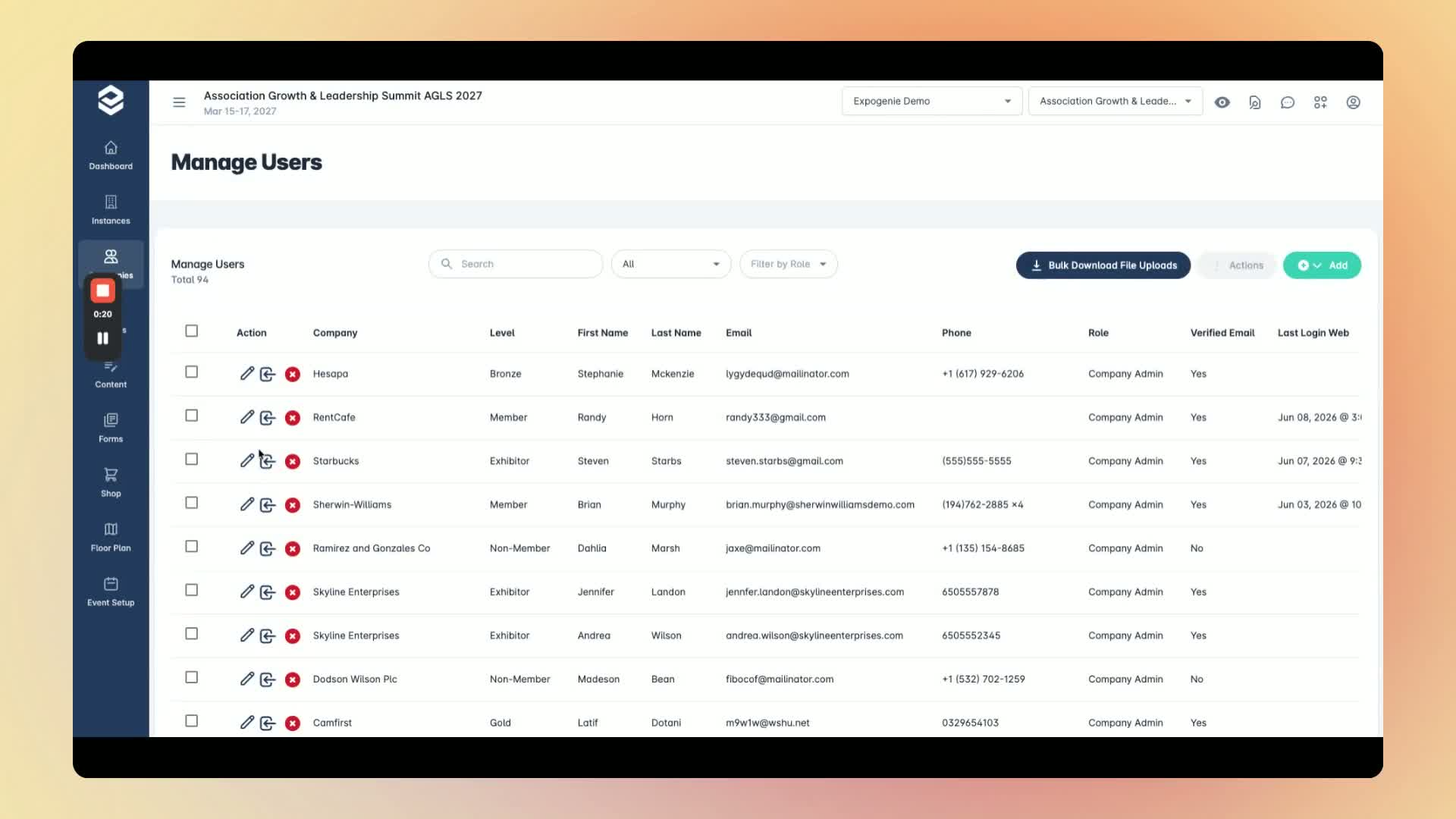
Locate the correct user, such as Steven Starbs.
Click Log In As next to that user.
Click Confirm when prompted.
You will now be logged into the Exhibitor Portal as that user.
3. Exit back to Event Admin 0:34
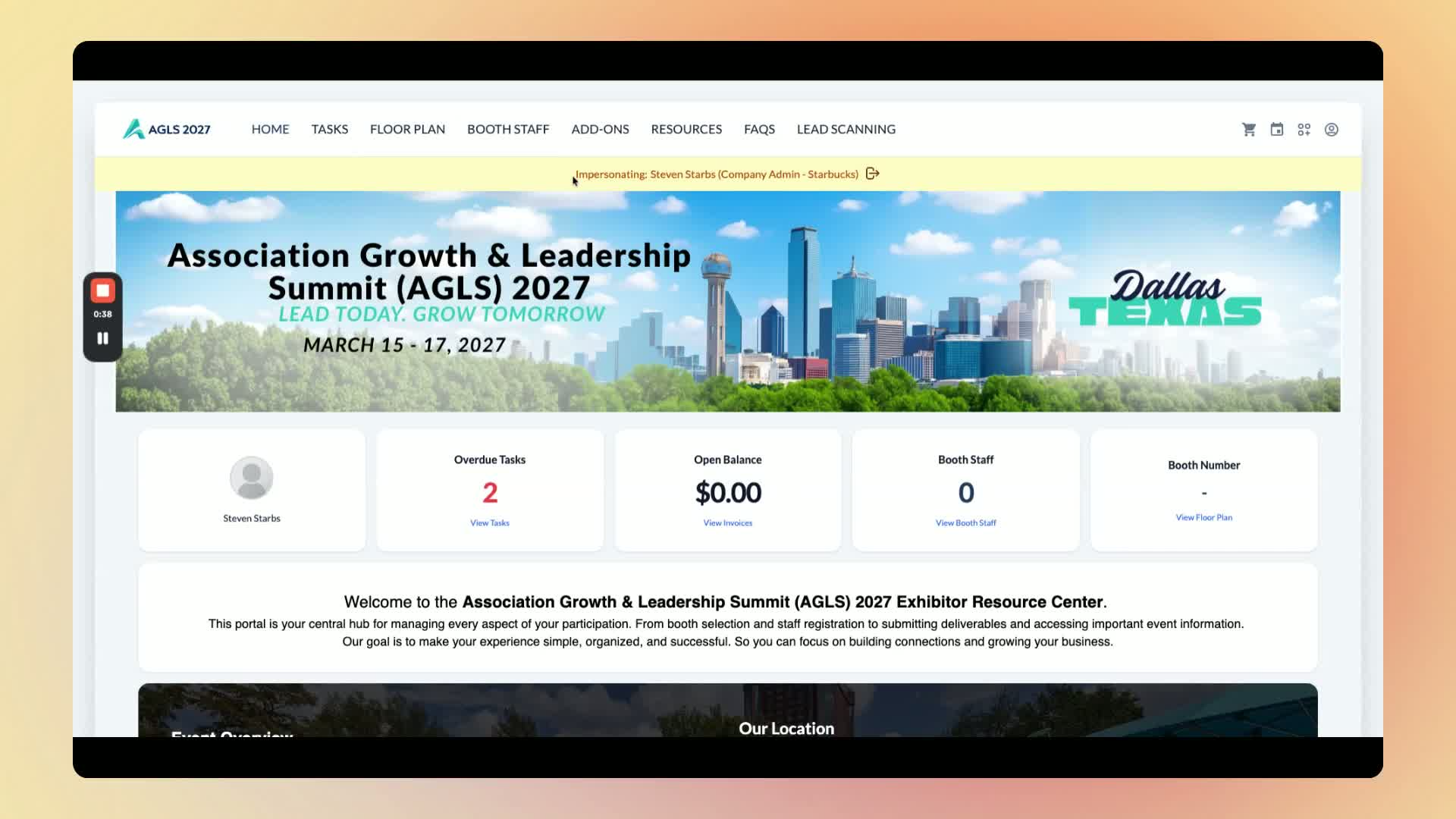
When you are finished, click Exit.
This returns you to the Event Admin account.
Link to Loom
Was this article helpful?
That’s Great!
Thank you for your feedback
Sorry! We couldn't be helpful
Thank you for your feedback
Feedback sent
We appreciate your effort and will try to fix the article